Showing posts with label AX 2012. Show all posts

Saturday, January 5, 2013

Code merging and Object conflicts - Developer's nightmare !!!


I will try to explain the problem and solution using some scenario.

Existing system: AX 2012 CU2 + 4 ISVs + 20 Hotfixes + VAR layer + CUS layer + Data for masters and financials 

Proposed changes: Upgrade system to CU3 + Data for masters and financials 

Steps performed:
  • Installed CU3 on base system
  • Installed ISVs layer code [Upgraded code provided by ISV]
  • Installed VAR layer code [To be upgraded by you]
  • Created a new merge model in VAR layer and worked on code upgradation
  • Installed CUS layer code [Upgraded code provided by CUS]
  • Created a new merge model in CUS layer and worked on code upgradation 
Code upgraded by this step. Next step is to use the upgraded code with the existing data created by team. 
  • Exported the axmodelstore for the upgraded code
  • Created a new database and restored the previous version's existing data.
  • Attached this database to AX 2012 and imported the axmodelstore in to it.
  • Encountered hundreds of conflicts and could not proceed. We can proceed in this case but will lose the data for all the conflicting objects [Fields and Tables] 


We end up in a deadlock on what went wrong and why we encountered so many conflicts. After analyzing all the steps, below are the refined steps: 
  • Export the axmodelstore from the previous latest build
  • Create a new database
  • Install the axmodelstore on the new database
  • Install CU3 on this
  • Install ISVs layer code [Upgraded code provided by ISV] using REPLACE command as shown below: 
Axutil import /file:C:\XYZ\FilePath\FileName.axmodel /replace:41 /conflict:overwrite 
  • Install VAR layer code [To be upgraded by you] using REPLACE command
  • Create a new merge model in VAR layer and work on code upgradation OR Use the existing VAR merge model [if already performed above steps] created above which can be reused and can save effort
  • Install CUS layer code [Upgraded code provided by CUS] using REPLACE command 
  • Create a new merge model in CUS layer and work on code upgradation OR Use the existing CUS merge model [if already performed above steps] created above which can be reused and can save effort
  • Export out the upgraded axmodelstore 
  • Create a new database 
  • Import existing data from previous build on it 
  • Install the axmodelstore on it and you should not get code conflicts [Or minimum conflicts will be encountered]
This is the clean process to perform the code upgrade and retain the data from previous version.

Friday, February 24, 2012

List Pages in AX 2012

Scenario: Add a few fields or buttons to a list page and making it visible/invisible depending on certain conditions. No more possible by writing code on the same form since addition of methods is no more possible in case of LIST PAGES.
We have an interaction class for all the list pages. Taking the example of form -> SalesTableListPage for which the interaction class is -> SalesTableListPageInteraction.

In this class, we have 2 methods:
setButtonVisibility() - To set the buttons visible/invisible
setGridFieldVisibility() - To set the fields visible/invisible


To make a button visible/invisible, we can write below code:
this.listPage().actionPaneControlVisible(formControlStr(SalesTableListPage, NewGroup),false);

To make a field visible/invisible, we can write below code:
this.listPage().listPageFieldVisible(formControlStr, (SalesTableListPage,SalesTable_lftCostHoldReasonCode),false);

Tuesday, February 21, 2012

Effort estimations in AX 2012


Guys, Take care about few things while giving the estimations for Dynamics AX 2012 customizations. Lots of factors have its impacts during development and increases the development time at least for first few AX 2012 implementations. I am trying to consolidate a few below:

1.       Team foundation server

a.       Object check-in & check-out

b.      Synchronization of environment

2.       Removing best practice errors – killing factor

3.       Data migration

4.       Unable to add methods to List page forms like SalesTableListPage

5.       New framework for number sequence

I will try to add my experiences in here. Hope this helps.

Saturday, July 2, 2011

Consuming Web Services in AX2012

Consuming a web service is always very exciting in any technology. I wanted to explore the same in AX 2012. You can download the official document regarding same using the below link:
Source Link: Here

I tried to consume the web service mentioned in the downloaded documents and made some modifications as well to suit my requirements and it worked pretty well. But it was all like working as per the document and being happy on something which was already accomplished. I wanted to consume another web service. So, I searched the internet a bit and found out a web service to check the weather conditions of a city and here are the steps to get this done:
1.       Create a new project:

2.       Add the service reference by right clicking the project name and click on “Add service reference”. Enter the URL of the web service in the address box and click ‘GO’ to validate the web service. Change the namespace and click ‘OK’ button:

3.       Add the project to the AOT:

4.       Set the deployment properties:

5.       Restart the Microsoft Dynamics AX client. This is an important step.


7.       Write a job in X++ in AX 2012 to access the web service and output the result set:

Below is the output of the job:

Happy DAXing !!!


6.       Go to AX 2012 and verify the changes in service reference

Sunday, June 19, 2011

Number Sequqnces in AX 2012


There are some basic changes made at the framework level for Number Sequence in AX2012. Below are the steps to be performed to intiate a number sequence:

Below steps assume that we are adding a new number sequence in the PSA module >> parameters form:

1. Create a new EDT
2. Add code in the class NumberSeqModuleProject method loadModule()
3. Create a new method in the table ProjParameters to access the next sequence number
4. Write a job that initiates your class and call the loadModule method

static void jobName(Args _args)
{
NumberSeqModuleProject NumberSeqModuleProject = new NumberSeqModuleProject();
;

NumberSeqModuleProject.load();
}

And I was able to see the newly created Number Sequence. I am still trying to get the need to call this code using above job, will update once I get the information.

One thing to note here is I did not need to restart the AOS.

Also, some good discussion is going on Microsoft Dynamics AX 2012 group on linkedin on the below URL:

http://www.linkedin.com/groups/How-create-number-sequence-in-3793661.S.58478912?view=&srchtype=discussedNews&gid=3793661&item=58478912&type=member&trk=eml-anet_dig-b_pd-ttl-cn

Saturday, June 11, 2011

Creating Range on CreatedDateTime in AX2012

Placing a range on field CreatedDateTime on any table/form is little tricky now unlike the previous versions. We have the default fields CreatedDateTime and CreatedBy in all the tables and we want to have a filter on the CreatedDateTime field on a new form as shown below:


Following steps are required for placing the range on CreatedDateTime.


Step 1: Declare two variables in ClassDeclaration:

utcDateTime fromDateSelection, toDateSelection;

Step 2: Create the range on the field and intialize the default values for variables defined
above in the Form >> Datasource >> init() after super():

qbrCreatedDate = this.query().dataSourceTable(TableNum(xyzTable)).addRange(FieldNum(xyzTable, createdDateTime));fromDateSelection = datetobeginUtcDateTime(dateNull(), DateTimeUtil::getUserPreferredTimeZone());
toDateSelection = datetoendUtcDateTime(dateMax(), DateTimeUtil::getUserPreferredTimeZone());


Step 3:  Write the below code before super() in executeQuery() method:

qbrCreatedDate.value(queryRange(fromDateSelection, toDateSelection));

Step 4: On fromDateTime Control >> modified() write the below code:


fromDateSelection = datetobeginUtcDateTime(DateTimeUtil::date(FromDateTime.dateTimeValue()),DateTimeUtil::getUserPreferredTimeZone());
OGISecurityLogTable_ds.executeQuery();

Step 5: On toDateTime Control >> modified() write the below code:


toDateSelection = datetoendUtcDateTime(DateTimeUtil::date(ToDateTime.dateTimeValue()),DateTimeUtil::getUserPreferredTimeZone());
OGISecurityLogTable_ds.executeQuery();


Step 6: Also, make sure to change the DisplayOption property of the utcDateTime control to 'Date' so that it displays only date as shown below:


This would filter the records on the form basis the date range provided.

Thursday, June 9, 2011

Friday, June 3, 2011

AX2012 Installation Complete !!!

Completed installation of AX2012 on my laptop :)

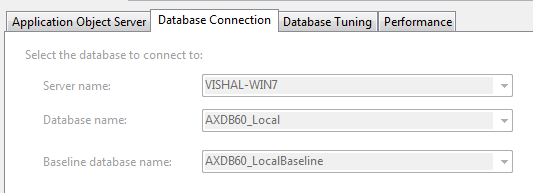
AOS: 

 Database:

Client:


Wednesday, May 18, 2011

AX 2012 Security Permissions

Role-based Security

In previous versions of AX, assigning security keys was the main task for a developer. With AX 2012’s role-based security, developers play a much bigger role when creating new elements. Permissions are now assigned on the AOT elements and are grouped together in Privileges. These Privileges are then gathered in Duties which define a role.
The new security framework is based on RDPP:
  • Roles: a group of duties specific to a function (accountant, mechanic, clerk, manager, …)
  •  Duties: a group of related privileges needed for a specific task (sales order entry, approve expenses, order  picking etc,
  •  Privileges: a group of entry points (mostly menu items) needed for a specific action (create sales order lines, set up HRM parameters, start a picking route, …)
  • Permissions: a group of base objects  each with the required level of access (update salesTable, update HRMParameters, …)
Developers are responsible to provide the appropriate privileges and permissions. An administrator can define roles and duties based on the privileges and permissions -and link users to roles
Standard, out-of-the box roles, duties, privileges and permissions are available to secure all functionallity in Ax2012!Previous versions had … no out-of-the-box security configured roles.

Other facts:
  • SecurityKeys are no longer used
  • Companies are replaced by legal entities
  • Domains are replaced by organisations
  •  Users groups no longer used in a security context
  • External users (without an Active Directory -account!) can log on to the Enterprise Portal
And still exploring.......

AX 2012 on MSDN

A complete help system for AX 2012 is now available on MSDN. On this link

You can also copy and paste the below URL:

http://msdn.microsoft.com/en-us/library/aa496079.aspx