Showing posts with label AX2012. Show all posts

Monday, April 2, 2012

BP Errors on Menu items

1.       Create a new form
2.       Create a new menu item of type ‘Display’.
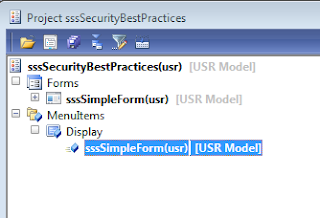


3.       Check Best Practice (BP) errors, following list will appear


4.       To remove the above error, we will create a new privilege and add the display menu item to the entry point in the privilege


5.       Creating this new privilege should remove the BP error from the menu item but if we check the BP for this privilege, it should show below list of warnings


6.       To remove the above error, we will create a new duty and add the privilege to the duty


7.       Creating this new duty should remove the BP error from the privilege but if we check the BP for this duty, it should show below list of warnings


8.       To remove these BP errors, create a new role


9.       And add the same duty to an existing appropriate process cycle


Finally, we are through with removing all the related BP errors for creating a menu item. Hectic but necessary because it will pay off later in maintaining a good security architecture.

Monday, March 26, 2012

Integrating AX 2012 with Microsoft Communicator

Great to see how easy it is to connect to communicator from AX 2012. We can integrate communicator with any form/entity where we are creating a new GAB contact with party type ‘Person’. Below are the steps for creating a sample customer and integrating it with communicator:

1.       Create a customer and select the party type as ‘Person’ 
              
                
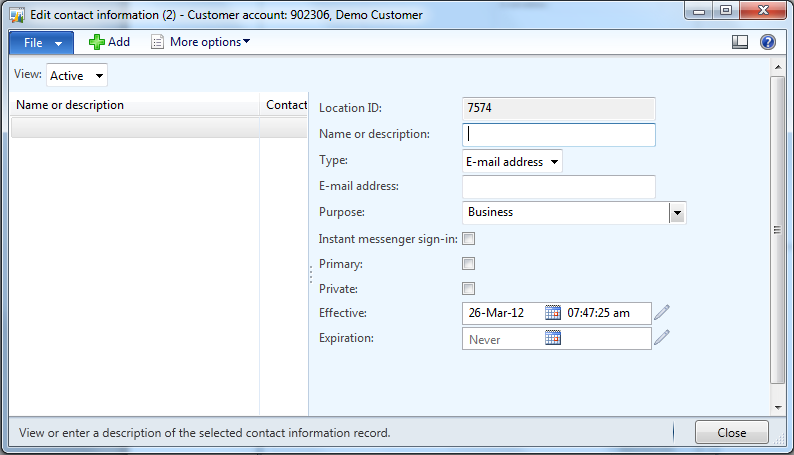
2.       Open the customer details for the newly created customer. Click on the Contact Information tab >> More information >> Advanced


3.       New form opens up on which we can click on New and select the Type as ‘Email address’
                

4.       Enter the email address and Name and click on the checkbox ‘Instant messenger sign-in’
                

Save and close the form.

5.       You will notice the status symbol started appearing on the customer form
                

6.       Click on the status symbol to explore the options available with communicator:


7. Click on ‘Send an Instant Message’ and communicator window opens up.
          
With this, we are done with the integration of communicator with AX 2012. We can extend this functionality to each and every entity in AX which is related to party table.